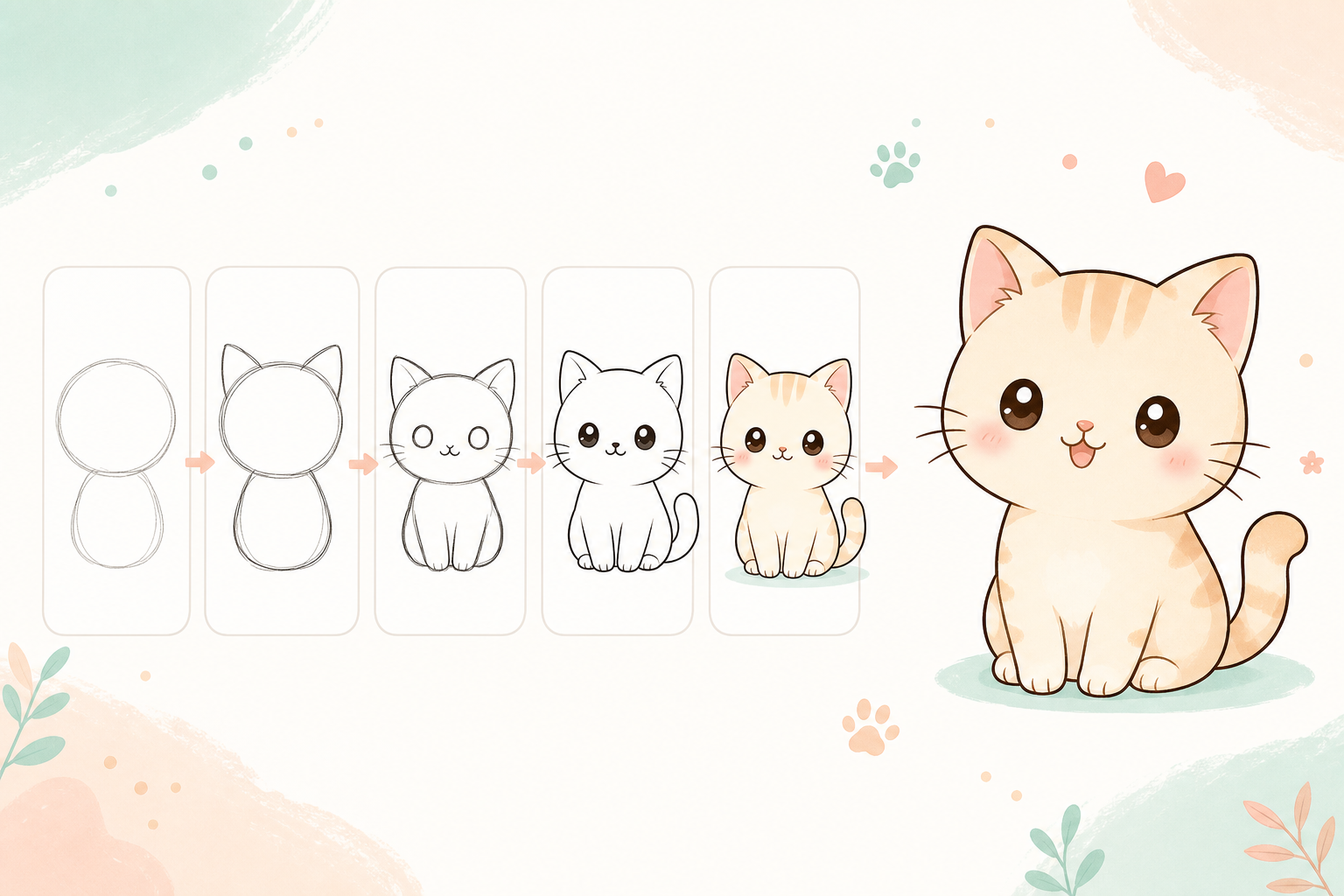
Drawing a cute cat in Procreate is much easier when you break the character into simple shapes. This beginner-friendly tutorial is made for iPad artists who want a quick, relaxing practice project.
What You Need
- iPad with Procreate
- Apple Pencil or compatible stylus
- A clean sketch brush and a soft coloring brush
- One separate layer for sketch, line art, color, and shadows
Step 1: Start With a Round Head
Draw a large circle for the cat’s head. Keep it soft and round. Cute characters usually feel friendlier when the shapes are simple and slightly oversized.
Step 2: Add Soft Triangle Ears
Add two triangle ears on top of the head. Round the corners a little so they do not look too sharp.
Step 3: Draw the Face
Add two big round eyes, a tiny nose, and a small w-shaped mouth. Place the features slightly lower on the face to make the cat look cuter.
Step 4: Sketch the Body and Paws
Draw a small oval under the head. Add four tiny paws with short rounded lines. The body should be smaller than the head for a cute cartoon proportion.
Step 5: Add the Tail
Draw a curved tail behind the body. A smooth C-shaped tail works well for beginner drawings.
Step 6: Clean the Line Art
Lower the sketch layer opacity to about 25%. Create a new layer above it and trace your final line art with confident strokes.
Step 7: Color and Add Details
Create a color layer under your line art. Fill the cat with cream, gray, orange, or any soft pastel color. Add blush, whiskers, eye highlights, and a small shadow under the body.
Beginner tip: keep every line rounded. Soft shapes make simple drawings look more polished.
If your Apple Pencil feels too slippery, try a paper-feel screen protector or a different pencil tip for better control.