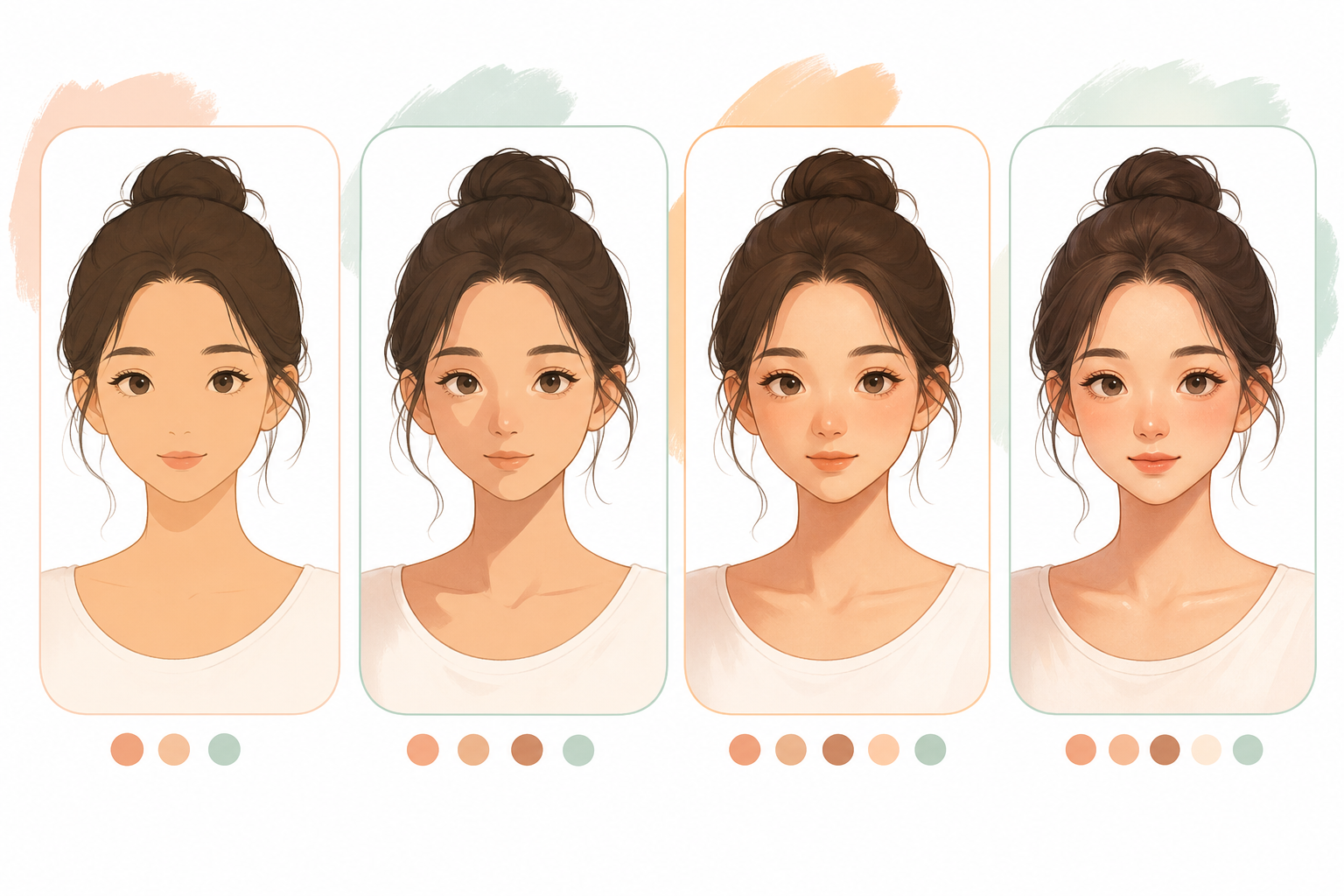
Face shading can feel complicated, but you can make it beginner-friendly by using one Multiply layer, soft shadows, and a few clear shadow zones.
Step 1: Add a Base Skin Color
Fill the face with a flat base color. Keep it simple before adding shadows.
Step 2: Create a Multiply Layer
Create a new layer above the base color and set the blend mode to Multiply. This lets you build natural shadows without repainting the whole face.
Step 3: Place the Main Shadows
- Under the hair
- Under the nose
- Under the lower lip
- Under the chin
- On the side of the face away from the light
Step 4: Soften the Edges
Use a soft brush or gently lower opacity. Beginner shading usually looks better when shadows are subtle.
Step 5: Add Highlights
Add small highlights on the nose, cheeks, lower lip, and forehead. Keep them light and minimal.
Beginner tip: use fewer shadows first. You can always add more, but heavy shading is harder to fix.